By Justin Wood, founder of Trakt. Previously ten years at Produktiv Agency.
The short version
To track the Facebook Pixel properly, install the Pixel and the Conversions API together, tag every Meta link with consistent UTMs, add hidden form fields to your lead forms, persist the UTMs in a first-party cookie for 90 days, and push closed-won deals back to Meta as offline conversions. That five-step setup is exactly what I built into Trakt, so you can skip the manual plumbing.
TL;DR
The Facebook Pixel tracks page views, button clicks, and conversion events on your site, then matches them back to Meta ad accounts. It does that part well. What it does not do is tell you which lead became a customer, which campaign produced the deal that closed last month, or what happened on a different device three days later. I ran a marketing agency for ten years and watched the Pixel fail at the same handoff every time: lead hits the form, campaign context disappears, sales treats it like cold inbound. This post is how to track the Facebook Pixel properly, what it can and cannot see, and what I am building in Trakt to fix the part it cannot.

I have been around the Facebook Pixel since it was called the Facebook Conversion Pixel. I have installed it on roughly 200 client sites at Produktiv, the marketing agency I have run for the last ten years. Every single one of those installs ended the same way: the Pixel reported one number, the CRM reported a different number, and nobody could fully explain the gap.
I built Trakt because that gap is the single biggest reason marketing teams cannot prove ROI. The Pixel is not the problem. The Pixel is good at what it does. The problem is that what it does ends at the click, and revenue starts after the click.
If you came here trying to figure out how to track the Facebook Pixel properly, this is the honest version, written from somebody who has wired it up too many times.
What the Facebook Pixel actually tracks
The Facebook Pixel tracks nine standard events (PageView, ViewContent, Search, AddToCart, AddToWishlist, InitiateCheckout, AddPaymentInfo, Purchase, Lead) plus any custom events you configure, and sends them to Meta so the ads platform can attribute them to ad accounts, campaigns, and audiences. It records what happened on your site, nothing more.
Mechanically, the Facebook Pixel is a snippet of JavaScript you drop on your site. It fires on page load, watches for events you tell it to watch for (button clicks, form submissions, purchases), and sends those events back to Meta so the ads platform can attribute them to ad accounts, campaigns, and audiences.
There are nine standard events Meta ships out of the box: PageView, ViewContent, Search, AddToCart, AddToWishlist, InitiateCheckout, AddPaymentInfo, Purchase, and Lead. You can also fire custom events, which is where most of the interesting work lives.
That is the whole job. The Pixel is a recorder. It tells Meta what happened on your site so Meta can show you which campaign caused it.
What the Facebook Pixel does not track
Three gaps show up on every Pixel install I have ever done. The Pixel does not know who the person is, cannot see past the conversion event into the sales pipeline, and loses the multi-device, multi-day journey. That is the reason every install eventually needs a layer like Trakt on top of it.
This is where the agency years paid off. Once you have installed the Pixel on a hundred sites, you stop being impressed by the dashboard and start noticing what is missing. There are three gaps that show up every time.
It does not know who the person is. The Pixel sees a browser session. It does not see Sarah from Acme Corp. When Sarah fills out your form, your CRM gets her name and email. Meta gets a Lead event with no name attached. Two systems, two identities, no bridge.
It cannot see past the conversion event. The Pixel fires when Sarah submits the form. Then she goes through a sales process. She gets demoed. She negotiates. She signs. The Pixel never hears about any of that. As far as Meta knows, every Lead event is worth exactly the same, even though one became a 50,000 dollar deal and another ghosted after the discovery call.
It loses the multi-device, multi-day journey. Sarah saw your ad on her phone Tuesday. She browsed your site for forty seconds. Her boss called. She closed the tab. Friday, on her laptop at the office, she typed your URL directly and converted. The Pixel sees two separate sessions from two separate users. Your CRM gets a contact with no source. Last-click attribution credits "Direct."
I am not picking on Meta here. The Snap Pixel, the TikTok Pixel, the LinkedIn Insight Tag, they all have the same three gaps. The Pixel is a recorder. Recorders do not know who you are or what happens next.
What the Facebook Pixel tracks (and what it misses)
| Signal | Tracked by the Pixel? | Where it actually lives |
|---|---|---|
| Page views and standard events | Yes | Meta Events Manager |
| Custom events you define | Yes | Meta Events Manager |
| Campaign and ad-level performance | Yes | Meta Ads Manager |
| The person's name, email, company | No | Your CRM |
| Whether the lead became a customer | No | Your CRM |
| Deal value and revenue | No | Your CRM and billing |
| Same person across mobile and desktop | No | Identity bridge (CRM + cookie) |
| Multi-touch journey across other channels | No | Cross-channel attribution layer |
Key finding: Half of the eight signals that decide whether a Pixel install is profitable live outside Meta, in your CRM. That is the gap Trakt is built to close, by writing campaign data onto the contact record at the moment of form submission and keeping it there through the sales process.
The mistake almost every team makes
Almost every team I have worked with treats the Pixel's ROAS dashboard as the final scoreboard, when really it is only one half of the story. The other half lives in the CRM, and the only way to make budget decisions you will not regret is to reconcile the two. That reconciliation is the entire job of the middleware layer I built into Trakt.
Here is the line that should reframe how you think about Pixel tracking: the Pixel proves the click happened. It does not prove the click mattered.
I watched a client at the agency cut their entire Meta budget once because their Pixel ROAS dashboard showed 0.4x on a campaign. The campaign was producing leads. The leads were converting in the sales pipeline at a 30 percent higher rate than every other channel. Nobody had connected the two halves of that picture because the Pixel could not see the second half. We caught it on a quarterly review by accident, when somebody pulled a CRM report that contradicted the Meta dashboard.
That client did not have a Pixel problem. They had a CRM-handoff problem. And it cost them an entire quarter of the highest-converting campaign in their stack before anyone noticed.
This is the pattern I have seen repeat across SaaS, professional services, and e-commerce. The Pixel reports one truth. The CRM reports another. Both are partially right, and partially right is the same as wrong when you are deciding where to put next quarter's budget.
How to actually track the Facebook Pixel end to end
End-to-end Pixel tracking comes down to five things in order: the browser Pixel paired with the Conversions API, consistent UTMs on every Meta link, hidden form fields on every lead form, a 90-day first-party cookie to persist the source, and an offline conversion push back to Meta when a deal closes. Steps two through four are exactly what Trakt automates if you do not want to wire it up by hand.
This is the setup I have used at Produktiv and the setup I am building into Trakt v1. Five things, in order.
-
Install the Pixel and the Conversions API together, not just the Pixel. Browser Pixel firing has been getting less reliable since iOS 14. The Conversions API (server-side) catches what the browser drops because of ad blockers, ITP, and privacy settings. Run both. Meta deduplicates them.
-
Tag every Meta link with UTMs. This is the part nobody does properly. The Pixel will tell you the click came from Meta. UTMs tell you which campaign, which ad set, and which creative inside Meta. Use utm_source=facebook, utm_medium=paid_social, utm_campaign= with the campaign name, utm_content= with the specific creative. Lowercase, underscores, never spaces. I will die on this hill.
-
Add hidden form fields to every lead form. Five inputs: utm_source, utm_medium, utm_campaign, utm_content, utm_term. They read from the URL on arrival and write into the contact record on submit. This is the bridge between the Pixel world and the CRM world.
-
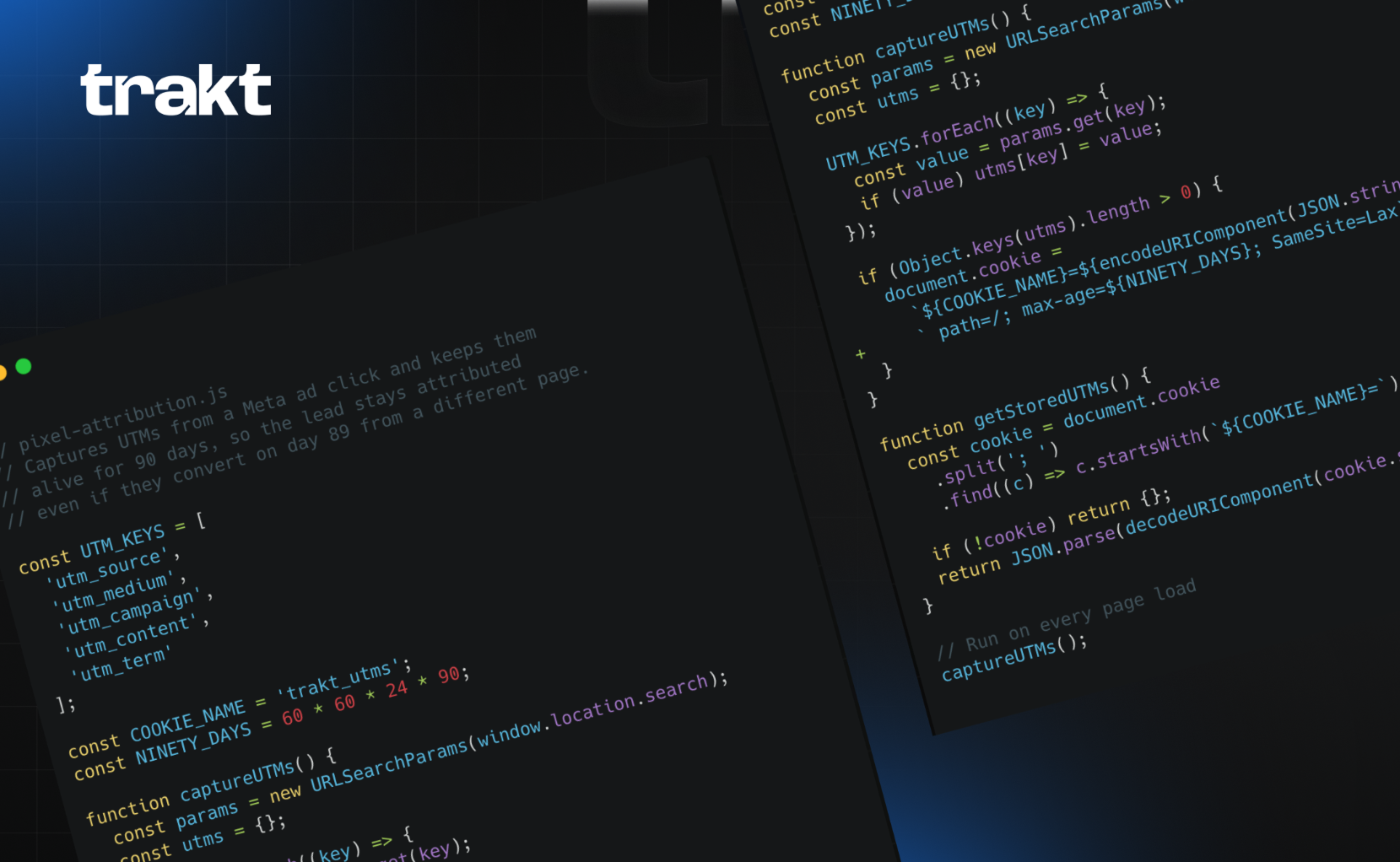
Put the UTMs in a first-party cookie that lasts 90 days. A user who clicks Meta on Tuesday and submits a form on Friday will not have the UTMs in the URL anymore. The cookie remembers. Without this step, anybody who does not convert in-session gets miscredited.
-
Push closed-won deals back to Meta as offline conversions. This is the loop. Once a lead becomes a customer, send a Purchase event with the actual deal value back to Meta via the Conversions API. Now Meta's bidder learns from revenue, not from form fills. This is the step that took me five years at the agency to start doing consistently, and the one that moved the needle most.
The 5-step setup at a glance
| Step | What it does | Manual or Trakt? |
|---|---|---|
| 1. Pixel + Conversions API | Captures browser and server-side events into Meta | Manual install, both methods |
| 2. UTMs on every Meta link | Tells your analytics which campaign, ad set, creative drove the click | Either, but Trakt enforces the schema so nothing drifts |
| 3. Hidden form fields | Reads UTMs from the URL and writes them to the CRM contact | Trakt auto-detects forms and injects fields, no developer ticket required |
| 4. First-party UTM cookie | Persists the source for 90 days so multi-day journeys stay attributed | Trakt sets this up on script install |
| 5. Offline conversion push to Meta | Sends closed-won revenue back so Smart Bidding learns from deal value | Manual today, on the Trakt roadmap |
Key finding: Three of the five steps are pure middleware work, the part that costs you a developer ticket and a Friday afternoon for every site change. That is the reason I built Trakt to handle them on a single script install. The Pixel install and the Meta offline conversion push are still on you, and that is appropriate, because both decisions involve trade-offs only you can make about your stack.
What I am building right now
Trakt v1 ships the middle three steps of that five-step setup. Drop a single script on your site, Trakt detects your lead forms, injects hidden UTM fields, captures UTMs into a 90-day first-party cookie, and writes them to the CRM contact when the form submits. The Conversions API push for closed-won deals is on the roadmap but not shipped yet, which I am being upfront about because pretending otherwise would be a waste of both our time.
I am Trakt's solo front-end engineer at the moment, so I see every bug, every edge case, and every gap personally. The first version of Trakt automates the middle three steps above. You drop a script on your site, Trakt detects your forms, injects the hidden fields, captures UTMs into a first-party cookie, and writes them to the CRM contact when the form submits.
It is rough. I am rebuilding the form-detection logic this week because there are edge cases with certain headless form builders that we are not catching cleanly. The Conversions API push for closed-won is on the roadmap but not shipped yet, so for now I am running that manually for the early users who are testing the v1.
That is the honest version. The product exists, it works for the core flow, and there are still pieces being welded together every day.
What I would test next if I were you
If I had one hour to spend on Pixel hygiene this week, I would do three things: check Meta Events Manager for Pixel-and-CAPI deduplication warnings, submit a test lead through one of my own ads to see whether the source field actually populates in the CRM, and audit how many closed-won deals from the last 90 days carry a Meta UTM. If that last number comes in under 40 percent, the cheapest fix is to install Trakt and let it handle the hidden-field plumbing for you.
Here is the order:
- Open Meta Events Manager and pull the Diagnostics tab. Look for any deduplication warnings between your browser Pixel and the Conversions API. If you do not have the Conversions API installed at all, install it. That is the highest-leverage thirty minutes you can spend.
- Click one of your live Meta ads and submit your own lead form. Then open the contact in your CRM. Is the source field populated? If it says "Direct" or "Web" or is empty, you have a Pixel-to-CRM gap and you are running marketing in the dark.
- Pull every closed-won deal from the last 90 days. Check how many have a Meta UTM on the contact record. That number is your real Meta attribution rate. For most teams I have audited, it is below 40 percent. The other 60 percent is invisible to your reporting.
One last thing
The Pixel will keep telling you what happened on your site. Your job is to tell it what happened next, which means stitching its data to your CRM. That stitching is the entire reason Trakt exists.
If you take nothing else from this, take this: the Pixel is a recorder, not a referee. It records what it sees. Your CRM records what it sees. The job of attribution is to stitch the two together, and most teams skip that stitching because it is the boring, technical part of the work.
That boring part is the entire job. I spent ten years at Produktiv proving it to clients one engagement at a time. I built Trakt because I got tired of doing it manually.
The Pixel will keep telling you what happened on your site. It is on you to tell it what happened next.
Try Trakt v1 (it is free while we are in early access).
FAQ
Do I need to install both the Facebook Pixel and the Conversions API?
In 2026, yes. The browser-side Pixel gets blocked by Safari ITP, by ad blockers, and by users who decline tracking on iOS. The Conversions API picks up the server-side version of the same event, and Meta deduplicates them so you do not double-count. If you only run one, run both.
What is the difference between the Facebook Pixel and the Conversions API?
The Pixel is JavaScript that fires in the user's browser. The Conversions API is a server-to-server connection that sends event data directly from your backend to Meta. They report to the same Events Manager and Meta merges the two streams. The Pixel sees what the browser sees. The Conversions API sees what your server sees. Together, they get you a much more complete picture than either one alone.
Will the Facebook Pixel still work without UTMs on my ad URLs?
The Pixel will fire and record events either way. But UTMs are not for the Pixel. They are for your analytics and your CRM. Without them, the click registers on Meta's side fine, but disappears from GA4 and never makes it onto your CRM contact record. The Pixel is one half of the system. The UTM-and-CRM bridge is the other half.
How do I know if my Facebook Pixel is firing correctly? tradeshow ROI tracking?
Install Meta's Pixel Helper Chrome extension. It tells you which Pixel events fired on any page you visit. For deeper diagnostics, open Events Manager and look at the Diagnostics tab. Anything flagged red is a setup problem. Anything yellow is usually a deduplication warning between the Pixel and the Conversions API, which is worth fixing but not always urgent.
How long does the full Facebook Pixel attribution setup take from scratch?
The Pixel itself takes 15 minutes if you have Events Manager access. The Conversions API takes a few hours depending on your stack. The UTM schema and hidden form fields are a half day if you do it once properly. Offline conversion imports are the longest piece because they require a clean event-ID flow from your CRM back to Meta. Trakt handles the UTM and hidden-field work for you, which is most of the half-day in the middle.