150,000 views.
That’s what your YouTube campaign tracking reported last quarter.
Your CMO loved it. “Great engagement,” she said, pointing at YouTube Studio during the all-hands. 4.2% engagement rate. Solid watch time. Positive comments.
Marketing celebrated. Views were up 40% year over year.
Then finance asked the question that decides next year’s budget:
“How much of our $2.3M in Q4 revenue came from YouTube?”
Silence.
As they put it in Training Day:
“It’s not what you know. It’s what you can prove.”
Denzel Washington
YouTube Studio shows who watched.Your CRM shows who bought.
There’s no proof connecting the two.
Sales remembers three closed deals where prospects mentioned watching your video. But in the CRM, their sources read “Website,” “Demo Request,” and “Referral.”
The attribution exists in Slack threads and call notes, not in the system that controls budget allocation.
And that’s the problem.
Why YouTube Campaign Tracking Disappears (and What It Costs You)
YouTube is the second most visited website in the world, with over 2.53 billion monthly active users. If you’re running YouTube ads or organic video campaigns without revenue attribution, you’re flying blind.
But YouTube isn’t a direct-response channel. People go there to learn or be entertained, not to buy immediately.
A real buyer journey looks like this:
- Week 1: Watches your YouTube ad on their phone during their commute
- Week 4: Googles your company name at work
- Week 7: Downloads your pricing guide
- Week 10: Attends a webinar
- Week 13: Requests a demo
- Week 16: Signs a contract
CRM source at close: Demo Request
The YouTube ad that started everything? Gone.
Every new interaction overwrites the last. The original YouTube touchpoint gets buried under forms, emails, and events. Multiply this across every campaign you run and you get systemic attribution failure.
So when budget planning starts, finance sees YouTube as a cost center, not a revenue driver.
Meanwhile, your competitor walks into their board meeting with clean YouTube attribution data and doubles their video budget.
You’re defending yours.
The Three Places Tracking Breaks

1. Time and Devices Break the Trail
People don’t convert where they first engage.
They see your ad on mobile. Visit your site later on desktop. Convert weeks later from email. None of those moments are connected by default.
2. Forms Overwrite History
Every form submission resets the source:
- Download a guide → source changes
- Attend a webinar → source changes
- Request a demo → source changes
The CRM only remembers the last click.
3. Metrics Live in Silos
YouTube shows views and watch time.Your CRM shows pipeline and revenue.
There’s nothing in between.
You know 150,000 people watched, but not which three became customers, and that gap costs you credibility, budget, and optimization insight.
Why Most Teams Can't Fix YouTube Campaign Tracking
On paper, the fix sounds simple: add tracking, pass it through forms, connect it to your CRM.
In practice, it breaks down fast.
The Technical Barrier
Forms don’t automatically capture campaign data from URLs. You need hidden fields, custom scripts, and CRM mappings.
That means developers.
Tickets get submitted. Weeks pass. Tracking breaks when pages change. After six months, you’ve spent more time managing requests than analyzing performance.
The Consistency Problem
Even if tracking works, naming doesn’t.
utm_source=YouTubeutm_source=youtubeutm_source=YT
Your data fragments instantly. Reporting becomes unreliable. Standards documents get ignored. Chaos resumes.
The Attribution Window Problem
Even when you capture YouTube correctly once, CRMs overwrite it later.
First touch is lost. Multi-touch journeys collapse into last click. YouTube still looks ineffective.
Most teams eventually give up, and make budget decisions based on views and gut instinct.
How to Actually Track YouTube Campaigns (Without the Headaches)
Proper YouTube campaign tracking comes down to three things that need to work together: capturing where people came from, making sure that information survives the journey, and connecting it to revenue.
In other words, effective YouTube campaign tracking is mostly about what happens after someone leaves YouTube.
Here's how to make each piece work.
Step 1: Create Tracking Links That Tell the Story
Every YouTube campaign needs a unique tracking link.
Not just where traffic came from, but which video, which campaign, which format.
- Organic product demo video?
- Paid YouTube ad?
- Specific creative variation?
Manually building these links invites errors.
Platforms like Trakt’s UTM Builder replace free-text entry with dropdowns. You select platform, campaign type, content, and the tool generates standardized, typo-free links every time.
No fragmentation. No guesswork.
Step 2: Make Sure Forms Capture the Story
This is where most tracking dies.
Campaign data lives in the URL, but forms don’t capture URLs by default.
You need invisible fields that automatically read and store YouTube attribution when someone submits any form.
That usually requires custom code.
Or, you use a system that does it automatically.
Tools like Trakt detect every form on your site and inject attribution data without per-form setup. Install once. Every form works.
Step 3: Preserve Attribution When People Return
Someone clicks a YouTube ad today. Comes back from search next week. Converts from email a month later.
Standard analytics credits email.
Proper attribution remembers YouTube.
This requires persistent tracking that survives sessions, devices, and long buying cycles without constant developer maintenance.
Attribution platformsbuilt for this capture first touch, store it indefinitely, and re-attach it to every future interaction.
Step 4: Connect Everything to Your CRM
ATracking doesn’t matter unless it reaches sales.
Your CRM should show:
YouTube → Product Demo Campaign → Organic Video
Not Website. Not Form Submission.
Campaign fields must map cleanly into HubSpot, Salesforce, or whatever CRM you use, without breaking every time a form changes.
Middleware platforms handle this automatically, keeping attribution intact from click to closed deal.
Step 5: Track the Complete Journey (Not Just the Last Click)
The hardest part of YouTube attribution is showing its role when people interact with multiple channels before buying.
Real deals aren’t linear.
A closed-won opportunity might look like:
YouTube ad → Content download → Webinar → Demo → Close
YouTube didn’t close the deal, but it started it.
First touch, middle touches, and last touch should all be visible when revenue is reported. That’s how modern attribution works, and how video earns its budget.
The Path Forward
Manual YouTube campaign tracking breaks at scale.
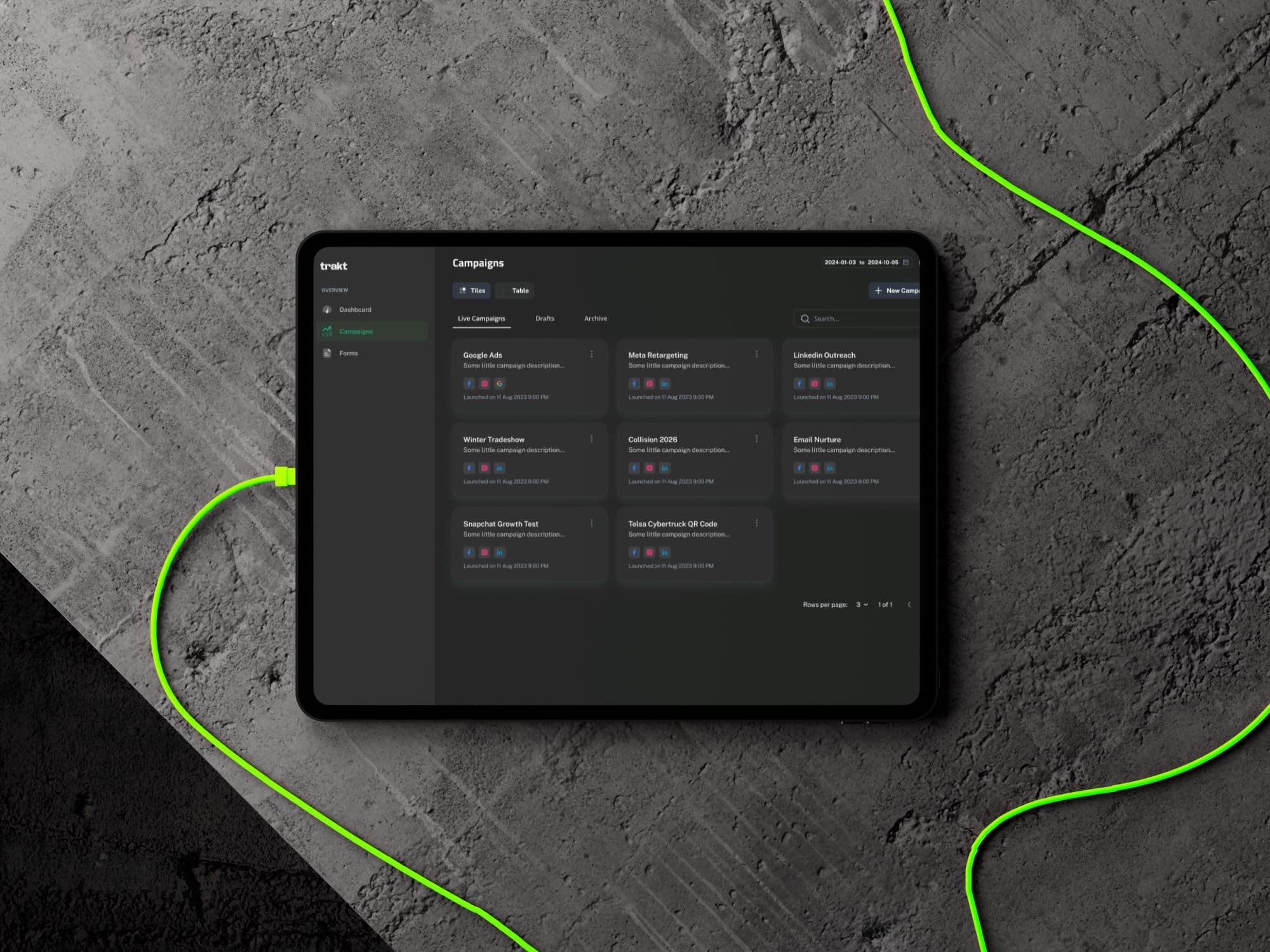
Trakt removes the failure points:
- Consistent campaign link creation
- Automatic form enrichment
- Persistent multi-touch attribution
- Direct CRM sync with full journey visibility
No developer bottlenecks. No naming chaos. No lost attribution.
Your competitors already know which YouTube campaigns drive revenue.
You can guess, or you can prove it.
Stop tracking views. Start proving revenue.