Your quarterly review is going perfectly until the CFO asks for proof. The YouTube Studio dashboard shows 150,000 views and a climbing engagement rate. Everyone in the room agrees the content is "high quality," yet no one can definitively link those views to the $2.3 million in revenue sitting in the company's bank account.
YouTube Studio is an exceptional tool for creators, but it functions as a closed loop. It tells you who watched, how long they stayed, and when they clicked away. It does not tell you that the CEO of your biggest Q4 deal watched three of your tutorials before requesting a demo. When that deal closes, your CRM likely credits "Direct Search" or "Website," effectively erasing the video that actually started the journey.
This attribution amnesia is the primary reason video budgets are the first to be cut during lean months. If you cannot prove that a view became a customer, you are essentially defending a brand awareness budget with gut instinct.
The limitation of the platform loop
Many teams waste hours trying to figure out how to check youtube analytics in a way that reveals buyer intent. The reality is that the data simply isn't there. YouTube is optimized for engagement because that is how the platform generates ad revenue. It is not designed to track a lead through a sixteen-week B2B sales cycle that spans multiple devices and browser sessions.
According to a report by Google Marketing Platform, the customer journey is rarely linear, especially when video is involved. A prospect might see your ad on their mobile device during a commute, then return via a desktop search three weeks later. Without an external tracking layer, that return visit is seen as new, "unknown" traffic.
Deciphering the Studio dashboard
The native environment of youtube analytics is a masterclass in behavioral psychology. It shows you the "Retention Curve," a dipping line that illustrates exactly when your audience lost interest. It highlights "Impressions Click-Through Rate," telling you if your thumbnail was enticing enough to win the click.
These metrics are vital for improving your creative output. If you see a sharp drop at the 30-second mark, you know your intro is too long. If your CTR is low, you know your title isn't resonating with the algorithm. This data helps you make better videos, but it does not help you make better business decisions regarding customer acquisition costs.
The "Missing Middle" is the space between a click and a customer. YouTube Studio can tell you that 500 people clicked a link in your description, but it loses sight of them the moment they land on your URL. It cannot tell you if those 500 people were qualified buyers or just curious students.
The YouTube Studio Data Stack
| Metric | What it tells you | Why it’s useful | What's missing |
| Watch Time | Total minutes viewed | Shows content resonance | Zero lead identification |
| Traffic Source | Where viewers came from | Validates your SEO/Promos | Doesn't follow the exit link |
| Audience Return | New vs. returning viewers | Shows brand loyalty | No CRM connection |
| Key Moments | Retention spikes/dips | Refines creative editing | No revenue correlation |
The Refresh Rate Illusion

A common question among growth teams is when does youtube studio refresh to see the impact of a recent campaign. While the real-time stats are addictive, they often create a false sense of progress. Seeing a "Realtime" counter tick up feels like growth, but in a B2B context, that spike might be entirely irrelevant to your sales pipeline.
You are effectively looking at a scoreboard that only tracks passes, not goals. To see the goals, you have to move the data out of the stadium and into your own internal systems.
Quick Guide: How to check analytics on youtube for performance
- Log in to your YouTube Studio account.
- Select "Analytics" from the left-hand menu.
- Click "Advanced Mode" in the top right corner.
- Filter by "Subscription Status" to see if your leads are fans or strangers.
- Export the data to compare against your web traffic spikes.
Building the bridge to revenue
To fix this, you have to move beyond the native dashboard. You need a system that captures the intent signal the moment a user clicks a link in your video description or an ad. This data must travel with the user across your website and eventually settle into your CRM.
The Technical YouTube Tracking Architecture
Proper attribution requires a specific sequence of technical steps to ensure data isn't lost during the handoff from YouTube to your website.
1. Standardize your naming conventions
Consistency is the foundation of any tracking effort. If one team member uses "youtube" and another uses "YT" as the source, your reporting will be fragmented across multiple rows. Establish a strict rule that every character in a UTM string must be lowercase and spaces are replaced by underscores.
2. Map parameters to specific intent
The utm_medium should distinguish between "paid_video" and "organic_video" to show if your media spend is actually outperforming your creative production. Use the utm_content tag to identify the specific placement, such as a link in the description versus a pinned comment.
3. Deploy a persistence script
A standard link only works for the current session. If the user leaves and returns later via a direct search, the original YouTube credit is lost. You must install a script that identifies UTM parameters upon arrival and stores them in a first-party cookie for at least ninety days.
4. Integrate hidden fields in forms
Your lead generation forms must be prepared to ingest the stored parameters without user action. Add five hidden fields to every form on your site labeled to match your UTM tags. This ensures that when a lead is submitted, the campaign data flows into the payload.
5. Configure CRM field mapping
Your CRM needs a dedicated home for this information. Create custom properties for "Original Source" and "Campaign Content" rather than dumping data into generic notes. Set these fields to "keep the original value" so a later organic search doesn't overwrite the initial YouTube attribution.
PROTIP
Use the utm_term field to pass dynamic values like {placement} from Google Ads to see exactly which specific YouTube channels are driving your highest-value leads.
The power of a combined view
The most sophisticated teams don't ignore youtube analytics tool sets; they layer them. They use Studio to optimize the "top of the funnel" (how many people see us?) and UTM tracking to optimize the "bottom of the funnel" (how many people pay us?).
When you combine these data points, you gain the ability to calculate a "Lead-to-View" ratio. This tells you that for every 1,000 views on a "How-to" video, you generate 4 demo requests. Suddenly, your video strategy isn't a cost center; it's a predictable revenue engine.
- Map fields to the Lead and Deal objects
Your CRM must be configured to accept this data into permanent fields. You should have fields for "Original Campaign" and "Original Source." These fields should be set to "Read Only" after the first touchpoint is recorded. This preserves the YouTube credit even if the user returns later through an organic search.
- Build the Lead-to-View reporting dashboard
Once the data is flowing, you can export your view counts from YouTube and compare them to your "New Leads" count in your CRM. Divide the number of leads by the number of views to find your conversion rate. This is the moment your video strategy becomes a predictable revenue engine.
| Funnel Layer | Primary Toolset | Key Metric Focus | Business Outcome |
| Top of Funnel | YouTube Studio | Impressions & Watch Time | Creative Optimization |
| Middle of Funnel | UTM Tracking | Click-Through to Site | Intent Verification |
| Bottom of Funnel | CRM Integration | Lead-to-View Ratio | Revenue Attribution |
| Retention | First-Party Cookies | Lifetime Value (LTV) | ROI Calculation |
Organic YouTube Tracking Checklist
- Set utm_source to "youtube" for every link.
- Set utm_medium to "organic_video".
- Create a unique utm_campaign for each video series.
- Use utm_content to identify link placement (e.g., "desc_link").
- Review CRM monthly to correlate revenue with video titles.
Moving from amnesia to execution
The technical burden of building hidden fields and managing link spreadsheets is usually where tracking efforts die. Most marketing teams don't have the developer resources to manually configure persistence scripts for every new landing page.
We built Traktto act as the middleware that automates this entire lifecycle. Instead of writing custom code, Trakt automatically detects the forms on your website and injects the necessary tracking data. It remembers the first touchpoint indefinitely, ensuring that your sales team sees the full journey of the lead, from the first video they watched to the moment they signed the contract.
If you are tired of defending your video budget with nothing but view counts, it is time to start proving revenue contribution. You can see how we simplify this entire process at link.trakt.pro.
Proving the value of every view
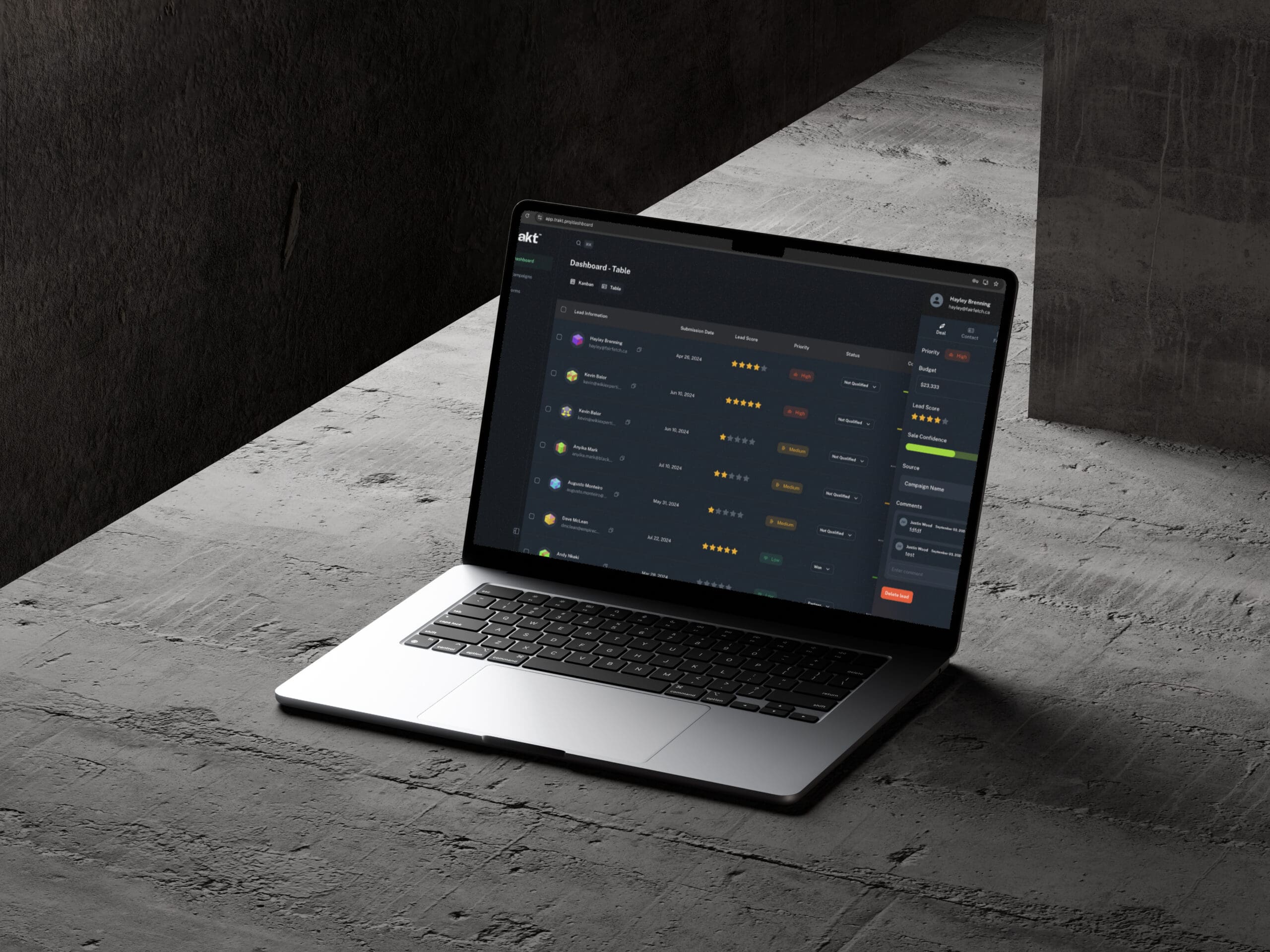
The goal of learning how to check youtube analytics is not just to see bigger numbers on a screen. The goal is to gain the confidence to invest in the content that works. When you can see the name and company of the person who clicked your video link, the data becomes real.
Attribution is the difference between a marketing department that is seen as a cost center and one that is seen as a revenue driver. By layering your data and building a persistent bridge to your CRM, you ensure that every view is accounted for and every dollar of revenue is correctly attributed.
YouTube Analytics FAQ
What is YouTube Studio and what does it measure?
YouTube Studio is YouTube's native analytics platform for creators. It measures watch time, impressions, click-through rate, audience retention, traffic sources, and the ratio of new versus returning viewers. It is optimized for engagement metrics because that is how the platform generates ad revenue.
Why can't YouTube Studio track leads or revenue?
YouTube Studio operates as a closed loop. It cannot follow a viewer once they leave YouTube and click through to your website. It has no connection to your CRM, so it cannot identify whether a viewer became a qualified lead or a paying customer. A deal influenced by your video will typically be credited to "Direct Search" or "Website" in your CRM, erasing the video's contribution entirely.
What is the "Missing Middle" in YouTube attribution?
The Missing Middle is the gap between a viewer clicking a link in your video description and that person becoming a confirmed lead in your CRM. YouTube Studio can report that 500 people clicked a link, but it cannot determine whether those people were qualified buyers or casual viewers.
How do UTM parameters fix YouTube attribution?
UTM parameters are tags appended to the URLs in your video descriptions and ads. When a viewer clicks a tagged link, the parameters travel with them to your website and can be captured, stored in a first-party cookie, and passed into your CRM through hidden form fields. This creates a traceable path from the video to the closed deal.
What UTM parameters should be used for YouTube tracking?
Use utm_source=youtube, utm_medium=organic_video for unpaid content or utm_medium=paid_video for ads, a unique utm_campaign value per video series, and utm_content to distinguish link placements such as a description link versus a pinned comment.
What is a Lead-to-View ratio and why does it matter?
A Lead-to-View ratio is calculated by dividing the number of leads generated by the number of video views over the same period. For example, 4 demo requests per 1,000 views. This metric converts your video strategy from a cost center defended by engagement numbers into a predictable revenue engine with a measurable cost per lead.